
Author: nyewarburton
-
-
-
-
-
-
-
Which Game Engine Should I Use?
By far and away, this is the most asked question that I get from anyone diving into game development.
Be it a start up team or a small group of students, every project needs to decide their tech stack. It’s definitely a hard question, but the good news is that there are a number of options.
Below, I’ve listed a selection of game engines that are, in my opinion, a good place to start.
Unreal Engine

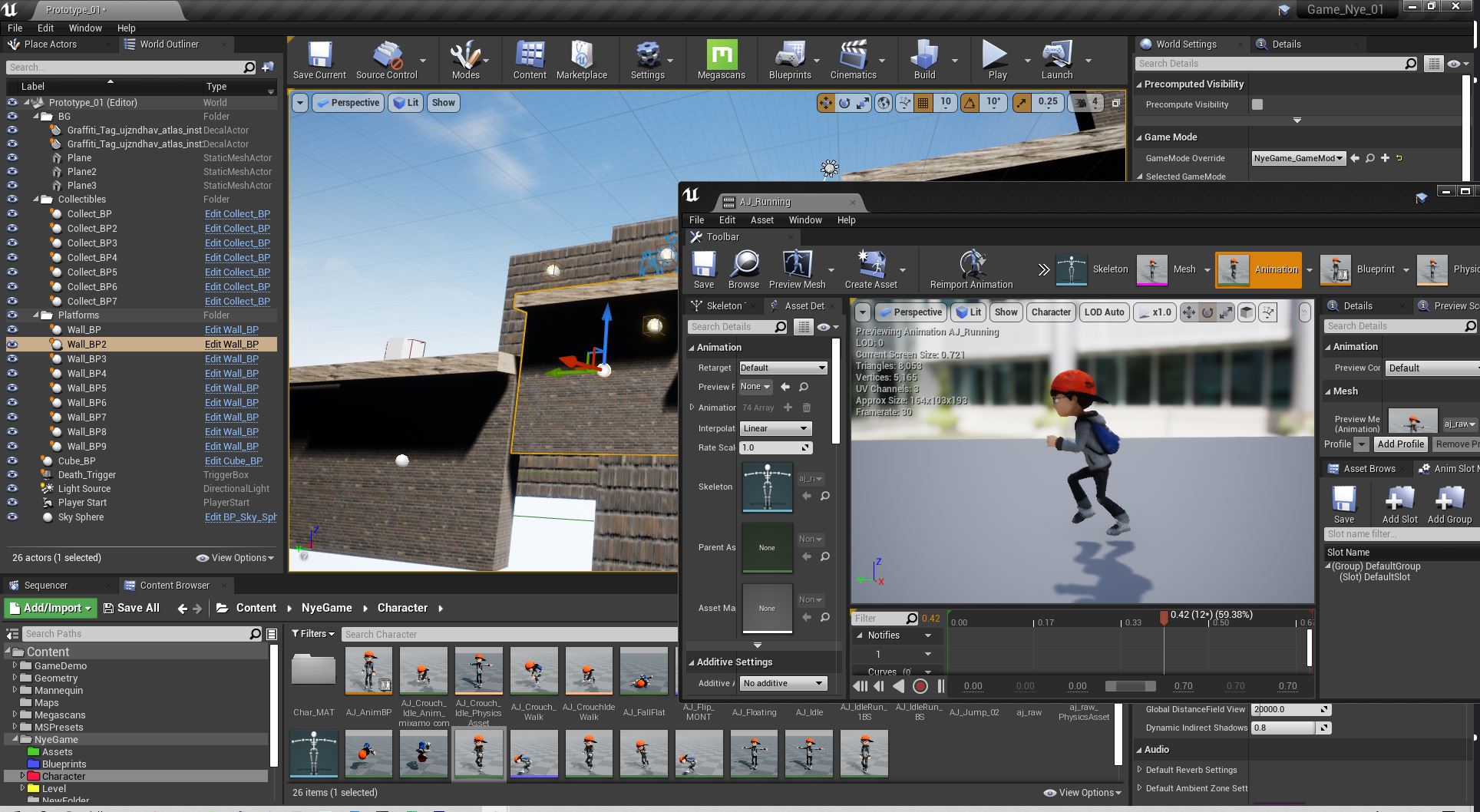
The first engine that is often spoke of for AAA gaming, animation and visual effects is the Unreal Engine by Epic Games. You should consider this engine the “go to” for AAA style video game development. It’s a tank. It strength is making “realism” for third person, first person or strategy games. Major game studios use it to scale teams of 100’s of people.
Flooded with money, Epic is the Mongol Horde of the Game Engine world. From their marketing assault, it is clear they wish to own cinematic production in Hollywood, or really anything where there’s a camera and subject. With real time workflows being so disruptive, they might just win. Many, if not all, of the major entertainment computer graphics firms have integrated Unreal, or will integrate Unreal, into their pipeline. Software has eaten film production, and Unreal is the mouth.
Unreal will most likely be the dominant player in many real time interactive experiences from gaming, to architecture, virtual production, and many other fields that require high fidelity graphics.

Unreal Engine 5 tech demo running on PS5 Pro
If you are interested in creating AAA quality games within the fairly known design paradigms of the console gaming world, then this is a good choice. Even if you don’t wish to use it, you might find yourself sucked into a team or project that is dependent on it.
Unreal has made real strides in making programming accessible to artists with their blueprinting system. This node based scripting has been a good way to learn, and an even better way to get the designers more “hands on” in the system.
If you are visual effects artist, or a feature film animator, it is also a very good choice to think about picking up. It’s sort of becoming industry standard. Every movie shop is looking for people skilled in it’s use right now.
Con
Much like Microsoft for business and personal computing was in the 90’s, Unreal will most likely be the corporate operating system for real time 3D content development. It will grow relentlessly, and probably won’t listen to the little voices of the independents.
If you are Indie developer, interactive artist, data visualizer, or are dependent on rapid prototyping, there are others engines that might suit a bit better.
For Me
Since most of my work is entertainment industry facing, Unreal is in the “must learn” category. The animation systems are robust and powerful, and there is no arguing with the asset development pipeline, especially with the acquisition of quixel megascans, the development of Metahumans, and the development of Nanite in Unreal 5.0. It’s not without its frustrations, which for me, comes down to the material and lighting rebuild loading times.
I don’t use it to prototype unless I am experimenting in animation systems. It’s size makes it hard to work with Github, and there is very little thinking or support for blockchain networks or AI models. They recently launched a python interpreter, but I’ve barely found a support network for developing content with it yet.
Unity

Unity applications currently account for three billion installs around the world. As a 3d interactive development package, it is THE dominant player. It is also the major player in independent and mid-tier game development. It is fairly standard in interactive design and commercial application development.That means, if you are an independent game developer, this has been your engine for a while, for Unity has the controlling interest to this sector. If you are an interactive developer at an agency or working with a location based experience of some sort, this is also most likely the engine you would use.
Everything in Unity is a Class. You make an asset and attach a script, and then, it’s interactive. By making it a Prefab, you can use it again and again. This is the core value of game engines, and this is something that Unity has done very well to democratize the technology to creatives. It uses C#, which has a lot of similarities to Java, which can be somewhat difficult to new programmers, but easier to pick up with those with a touch of development experience. Unity, probably inspired by Epic’s blueprints, has begun to integrate Bolt, their own visual scripting system. (Though, I have not used it.)
They are not without their movie making ambitions though. A recent deal with New Zealand based Weta, shows their claim to be in the visual effects and narrative content world. I watch with a keen eye to see what happens.
Unity is also a private company, who have a weird licensing system when you actually start making real money. Since their focus is more diverse, (larger interactive market vs a AAA game market) they tend to have plugins for some of the more innovative trends like Augmented Reality, or Machine Learning. Unity also is forming initiatives with auto companies, technology visualization initiatives, and developing an ecosystem of educational content. It’s clear they are positioning themselves as an interactive artist’s tool, more than just a game engine. There will always be games developed with it, but many other things will be built with it as well.

The Unity Interface is fairly straightforward. Pro
Wide adoption of use. Unity can really be used to do a lot of things, and is a bit of a “swiss army knife” for interactive and independent game experiences. There is a very active community and the learning resources on youtube and educational communities is extremely rich in content.
Con
Unity’s corporate-ness is beginning to show. They are clearly a little weary of Epic’s dominance of some sectors, and are also a little “nickle-dimey” on their pricing models. Yes, the engine is free for the most part, but the upgrades for AR and machine learning, which are priced at 50/month, are a little worrisome.
For Me
Most of my experience is focused on the Unreal Engine, but I have recently opened my brain to more development work with Unity.
I’m also in the middle of a reinforcement learning obsession, to which I’m interested in the accessibility of Unity’s Machine Learning Agents. Stay tuned.
Godot

As an advocate of open source, this engine is a darling of mine. It’s the “Blender of the game engine world.” There is a small team of developers, led by the remarkably talented Juan Linietsky. With a passionate open source community rallying behind it, it is gaining traction at an astounding rate. Right now, it is best for 2d games, though recently their foray into 3d, and the projected development of the Vulcan render system will most likely change that.They use custom coding language called GDScript, which much like python, is a declarative and easy to read language. Relative to Unity and Unreal, Godot has a much smaller base, but that base is extremely rabid.
I feel that Godot is uniquely positioned when it comes to innovative gaming and decentralized development. When we start distributing our networks and commerce, are we really going to cut in Unreal or Unity?
Godot, as open source, is the natural choice for teams that are looking to create autonomous or community driven game systems. The community, not a centralized player, will shape it’s functional use. (Whatever that turns out to be.)

The Open Source Engine, Godot shows loads of promise. Pro
A great open source community that supports the development learning and creation with it. The more the community grows and adapts, the more robust and creative the engine becomes.
GDScript is also very much like Python, and it is a declarative code. This means that you can look at it, squint a bit, and for the most part, read what is happening. This makes getting very simple stuff up and going in the engine very quickly.
Con
Open Source software also can have some sharp edges. Fancy, well funded, software development always tends to look polished, even if the usiblity is frustrating. Open source tends to be the opposite. Functionality is a premium, but that doesn’t always mean the usability or interface has it quite figured out.
The 3d content in Godot is still a little early. As a result, there aren’t as many support systems in place.
For Me
I had a brief and romantic affair with Godot as I played with a number of 2d pixel art prototypes. For learning game development, it is one of my favorite, but for competing with the main stream big boys above, they are a few years away.
O3DE
There once was a company that sold online books, that turned into a global juggernaut of a tech company. Amazon has decided to get into the high-end engine game, and their entry, while a bit rough and young, may be an interesting entrance to the space.
Game developer, Crytech, who were facing financial difficulties, sold their CryEngine to Amazon several years ago. Amazon now had a real time renderer that looked amazing, but the accessibility of the engine left much to desire if it were to be a main stream consumer product. They built up their own GUI and UX on top and renamed the engine, Lumberyard. But, recently, Amazon partnered with the Linux Foundation to open source the engine. With it, they rechristened it “O3DE.”

Too early, but watching closely I have had very little interaction with it. In honesty, I just downloaded the update and have begun poking at it. I mention it because I have been watching the development of Lumberyard for a while, and I really can not discount the efforts of Amazon as they move into the gaming space.
In a lot of ways the engine looks and feels like Unreal or Unity, but Amazon is designing for the future. Without feeling the obligations of supporting the technical needs of today, they are trying to keep the engine more modular, instituting a system called “gems”
These will allow developers to pick and choose the kind of plug ins they need for the experience they are building. In the release I downloaded, they offered motion matching systems, which is surprising since neither of the other two major engines have offered it out of the box. It’s a forward looking move.
There haven’t been a lot of times where Amazon have seriously entered a space, and in a short time made themselves a major competitor. Having AWS so readily available to integrate into the engine, plus the fact they have push firmly into the open source route, shows that they have major plans to position themselves in whatever the metaverse they seem to think is coming.
It’s not ready for prime time yet, but in 18 months or so, they might be battle ready.
The Gateway Engines

For the “just getting started” type, here are some of my recommendations.I tried game engines a number of times. I bounced out of Unity when I first tried. I struggled through Xcode development with cocos, barely understanding the process. I then tried Love2D for a small time, but grew tired of Lua. I was lost in the world of game engines.
Then, I discovered Construct 2. I used it to build a Metroidvania style game called “Agent Kickback.” It was the first time I felt like I could build the entire thing — on my own.
The software is built for deploying an HTML5 engine, which allowed fast loading times in browser based content — but the real value was the visual coding interface. In construct, you snap functions together like lego pieces.This was the first time I was able to get my mind around concepts like functions, variables, classes, optimization and state machines. It was a huge unlock.
After this point, I returned to the industry to use engines like Unity and Unreal, and found that I had much more confidence and direction.

Construct 2 uses a visual coding system that got me going fast. I have heard that Game Maker is also of a similar approachability, but I have never used it. (It’s popularity amongst some students makes me include it here.) These engines are a great way to get into game engines. Essentially, they have a low enough technical overhead to let in the artists.
Once you are in, however, you get it. And when you have reached a point that you want to actually build something a bit more than a starter level, you move on. In that case, move up to one of the engines I have listed above.
And What about the Web?
The web is also a wonderful place to play with 3d and game engines.
There are a lot of Javascript frameworks. For example, Babylon.js is an open source engine from a nifty team at Microsoft,. Playcanvas is a more engine-y looking interface for developing web based interactive work, which was recently bough by Snap. Another favorite of mine is A Frame, a framework that uses HTML tags to place 3d objects, add a little animation, and even do VR!

Doing VR in AFrame is actually a lot of fun! The world these engines render, is built on a wonderful little library called three.js, a javascript core that actually renders 3d objects in the browser. Chances are you have seen something around the internet, and I’m pretty sure three.js was behind it.
While these frameworks show a lot of promise, (I, personally, love spending time with some of these programs) my feeling is that they are very much in the early days of development. Could the web be used for high fidelity real time graphics and rendering? Well, that debate might best be suited for another post.
As always, I welcome feedback, thoughts or suggestions. I am always open to discuss with other developers and educators about any of the things I list in my writing. You can always reach out to me on twitter @nyewarburton, my DM’s are always open.
Thanks for reading, and happy game making!
Links and Resources
Construct Game Engine
Game Maker Engine
Three.js
A Frame
Babylon.js
PlayCanvas
-
Seven Strategic Tactics for Teaching Online
Simply replicating what you do in the classroom doesn’t work.
In the fall of 2020, I began teaching college level computer graphics. Since my timing is impeccable, I started teaching in the middle of a pandemic, which meant I had to learn how to teach, on zoom. The school I teach at runs in quarters, which has classes twice a week, which tends to be a pretty intensive 10 weeks.
Full disclosure, my first quarter was a disaster. Anyone who has met a nineteen year old understands that they will flay you alive, especially if they are burned out, grumpy, distractible — Wait… I mentioned this was during the pandemic, right?The point is, I rapidly learned that if I were to survive – I needed a strategy.
Learning to collect data while teaching
When I begin to design systems, I devise methods to record findings. In this case, I tried to estimate the length of time certain activity would yield the highest levels of focus and interest. Then I reflected on it in my writing and preparation process. Essentially, I began prototyping the amount of time that an engaged student can absorb before boredom and distraction makes their focus plummet.
Academics love these kinds of charts As I got better at teaching, I began to organize my methods. I could feel my way through whether I was hitting or missing. Self reflection on how many laughed at my jokes, or whether they responded to regular cues was ongoing. I could absolutely tell if they had YouTube on, or were just clocking time without actually paying attention. I would try calling them out if they looked distracted or try to do more conceptually weird things.
Really – I tried it all.
I began to take rigorous notes after class and wound up making some speculative findings.
- Lectures only work for 20 minutes. Long lectures lead to gaps of focus, and increased checking of tik-tok feeds.
- Demoing software live will instantly lose half the class. The cognitive capacity to focus on learning an unknown graphical user interface is extremely high. They are either confused, or they already know it, which leads to boredom.
- Group work will recharge a class and create social connections. However, group work in breakout rooms of more than 20 minutes will devolve into socializing.
Over the next two quarters I began prototyping a system based on my finding to which I began to see some improvements – granted, some classes still continued to be difficult – but I certainly faired far better than when I had been thrown to the wolves in the first quarter. All of these are work in progress ideas, that I continue to experiment with.Here are some take-aways.
Seven Strategic Tactics to Teaching on Zoom

1. Cameras onI unequivocally tell my students that they must keep their cameras on. Despite the grumbling the first day, it actually keeps them far more engaged. The work and interest is better. It’s important to connect, so I don’t even question it. If the camera is off, I ask them to turn it on. If they continue to do it, I continue to ask them to put it on.
If they don’t like it. Tough. If I have my camera on, you must as well.
2. Anything Interesting?
When you ask a question, any question, there is a natural delay — and worse, dead air anticipation of anyone responding. It’s hard to cut through this initial anxiety of participation. The added step of dealing with the “your muted” phenomenon is also a deterant. – So – I open every class with:
“Anyone got anything interesting?”
– Prof NyeAfter asking this question, I wait. I let that dead air take hold right up front.
I push and get them to start talking about anything. If we are lucky, we might hit on a new game release, or a trend or movie they are all eagerly awaiting. As someone in a different generation, it’s good to hear about their current interests. Dungeons and Dragons is back apparently, and everyone still hates Electronic Arts. These are important things for me to know to be credible.
Asking them to participate at the beginning of class makes the rest of the class easier, because that ice has already been broken. Once we have established the participatory nature of the class, as a teacher, I’m less worried about throwing a question to someone during lecture. I also use the “anything interesting” time to try to fire up the typically quiet-ones.
3. Don’t do Software Live – Record for the Rewatch
I started recording my software demos outside of class.Following along became the homework assignment, not something that fills class time. What I found was that those who didn’t understand could rewatch, and those who already knew it could skip ahead or speed through it. This is enormously successful in the results I got back. Video gives the learning support outside of class, and then maximizes the face to face time inside of it.


Videos outside of class for teaching software specific demos And honestly, doing software demos in class and live is hard. You might have forgotten a check box, or a process, and as you fumble to correct yourself, you can feel the shift of the group to non believers. If I hit a snag while I am recording, I’ve gotten good at pausing, jumping into documentation, trying it out, and then resuming. It might have been 5 minutes of double checking and fumbling through software for me live, but in the recording, the edit to the valuable information is instant.
This does bring up the problem that if all the demos are being done outside of class, what content is being developed in class. The response to this is “a lot of things.” Ultimately, it makes class time more about connecting with you as a teacher, and less about watching you fumble on a computer.
One draw back is that many who aren’t comfortable with the software will simply copy. This makes it especially important to stress problem solving, creativity and improvisation in class. The more they can build confident in class, the more they build upon the video work, instead of simply copying it.
4. 20 Minute Group Jams to Energize CollaborationsThe focus of all my teaching can be summarized as “problem solving.”
And the best way to get people to learn to problem solve is 1. to write documentation, and 2. go to groups to share what they learned. If I can identify a common problem amongst several people, I try to encourage the opportunity to group-up, to see if they collectively can figure it out.
The tendency for many is to use the problem as an excuse to disengage.
“I couldn’t figure it out.” is what I hear, and my response is “who else has this problem?” Generally, others do, and putting them into a group is a natural way for them to form collaborative problem solving.
Sometimes you get especially focused students who lean into the process. When you get them together, you can see potential partnerships forming.
5. Discord
Most educational software platforms are bad. Empirically, from a software UX and design standpoint, the makers of software (like Blackboard), genuinely wish to insult the students and teachers of the world, by giving us interface designs from twenty years ago.
Fortunately, the educational tech space is rapidly advancing to fit this need, but until new solutions are instituted, I gravitate to software communications that value the persistent nature of chat. If someone has to log in to do something, I’ve lost them. If someone can participate in multiple content streams, it becomes fun.

Discord is a chat application that, like it’s business sister program slack, maintains multiple communication streams. I can run my class in a chat, post and pin videos and handout to that chat, and run multiple chats for groups. By siloeing information correctly into persistent chat, I find I can work directly with my class and regularly interact with them over the week, as opposed to having to log in and target. Granted that means that you need to have the application open always, and be ready at any time of the day to respond.
Additionally, by installing StatBot, a bot application that lives within your discord, I can track the number of posts, and the engagement on posts. If I know the groups, the subjects they are talking about, and the number of times each group chats, I can catalyze the conversation by helping out on a questions, make a joke with a gif, or provide a relevant youtube clip. I got into the habit of wishing them a happy friday, or sending reminders of upcoming deliverables.

Tracking the discord activity of the class Discord, in my opinion, makes it fun, not a chore. Granted, some who are not gamers or as digitally native do not understand how to engage with the method. It can be difficult for the more email native types to shift to the persistent way of thinking. If someone is going to learn to work with game engines however, they will need to learn to think like this. It’s now industry standard.
6. No mercy for the disruptors
This one is hard. Disrupters rip your class apart. They seed conversations in channels that undermine the teaching as it goes on. I don’t know why it exists, if I deserve it or not, but I suspect it is commonplace in all teaching on zoom.
The answer for me was to single them out, and call them out immediately. Do not let it take hold, because you can lose the whole class. I am actually ok with them complaining about me outside of class. Everyone needs a watercooler, but in class, focus needs to be on the subject matter.I lost a class completely due to a selfish and destructive student. Make no mistake, there are bad kids who need to be dealt with. Let them undermine you, and you won’t just lose a class, but the entire course.
7. Draw your ideas
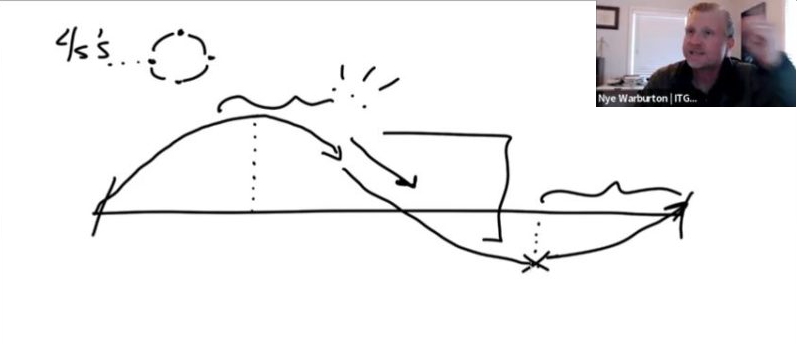
I’ve always used whiteboards to talk through ideas. My home office has two, and I have 30 years worth of sketchbooks. Drawing is how I learn, so it makes sense that I use it in the classroom. I do the same thing while on zoom.
I can explain something in five minutes, or I can slow down and explain it by drawing the idea out in photoshop, or this nifty piece of software I just found called “Concepts.”

Granted, sometimes drawings don’t work. A good drawing is like a good lecture, it needs to be imagined, refined and visualized. If you make a drawing part of your lecture approach, try to draw everything you are going to do in class ahead of time in your sketchbook. Practice it, prototype it, refine it.
The results are better drawings for visualizing concepts. Improvisation can work, but it should only augment the structures you practice beforehand.
As an educator, I welcome feedback and collaboration from others who are experimenting with teaching online. Despite the lowering levels of the virus, I do not believe we will be backing away from online teaching any time soon. In fact, I believe it will only accelerate. We should be facing these challenges head on, not simply running back into the classroom.
Thanks for reading! I welcome interactions on twitter @nyewarburton, my DM’s are always open.
-
Machine Learning and Animation

As the tools become more accessible, neural networks may soon be driving the performance of characters
A machine… can’t possibly… ?!?
I find myself involved in conversations where I ask graphics artists if they feel threatened by AI (artificial intelligence). Many animators think that being in a “creative” occupation means that they are safe. For many, it’s okay to think automation will wipe out auto-callers and Uber drivers, but keying a character performance is something that we won’t have to worry about for a while.
I used to be one of these people, but now, I’m not so sure.
Fake it til’ ya Make it
The internet continues to show us examples of “deep fakes”where mathematical image recognition models have allowed for the creation of fully manufactured digital characters. Upon viewing this, there is an initial reaction of “that’s crazy,” followed by a dismissive “wave of the hand.” I think there is a misunderstanding what the neural network is really doing.
It’s easy to confuse this “puppeting” of Vlad Putin or Elon Musk as simply a real time one to one, like that of a performance capture system. Or that the video is is composited or mixed into the pixels in some way.
But this technology is actually generating an entirely new performance.
Neural Networks
Honestly, I have only just begun my journey to understand how neural networks work. In many ways they are still a black box of mathematics full of PhD level vocabulary that a humble unfrozen cave man animator like me can’t wrap their mind around. I can’t tell the mathematical difference between a Lambert and a Phong, but I absolutely know the difference in the way they look and when to use them. Similarly, it will be hard for me to describe the calculations in a General Adversarial Network, but I’m starting to see the possibilities of what it can produce.
With only a few weeks of reading – and the help of the classes like IPT@New York University (https://ml4a.github.io/classes/) – I’m fairly confident, that at it’s core, neural networks use a whole lot of data, to learn how to make an input on one side come out as something generative on the other. It’s a system that makes guesses (or predictions) and the more data you cram into it, the better those guesses get.

The whole point of a neural network is to recognize features, or patterns that are not explicitly called out in the data set. These patterns are what the network uses to construct wholly new entities (guesses), that look and feel almost entirely like the original data set. Essentially, with enough data, it can fake a new entity that is nearly indistinguishable from the original. The question becomes:
What data do we use to animate?
From Light Cycles to Dinosaurs
In 1982, to create the illusion that 3d objects moved across the screen, the animators on Tron had to stand over the shoulders of engineers and instruct them to plot out thousands of individual x, y, z coordinates. By the mid 1990’s, instead of entering individual coordinates, software UI’s had become accessible to allow animators to key and refine the motion of an object. This made moving dinosaurs in the computer a reality.

The curve editor, now commonplace in animation software like Maya and Blender, took 15 years to imagine and develop. It is a way for artists to visualize the acceleration data of 3D objects, and a way for those artists to communicate their intent to the software.
Whether the data is from captured human performance or “hand keyed,” curve editors are the common language of motion data in the animation world.
Animator Intent = X, Animated Character = Y

So, if a neural network could be fed motion data and “learn” how a human moves, it might be possible for it to learn what the animator is trying to communicate and generate predictions of what makes a good animated performance.
Actually, the development of this, “animator intent = X” variable might be the easy part. We have enormous databases of “scrapable” human motion, considering existing deep learning models like PoseNet could pull data from an ever infinite library on Youtube.
The features which lead to the Y variable, and the question that I’m going to scratch at is:
Could a model be developed where the features generate a great animated character performance?
From Academics to Artists
Up until now, machine learning is something only the academics played with – and now big tech – as these early scientists have been gobbled up by the tech titans like Uber, Facebook, Google and Tesla.
Like the engineers and light cycle inputs, only tensor flow python-heads could enter the parameters for a ML model. However, a new wave of UI thinking is now making this approachable to us unfrozen cave men animators. Unity, a powerhouse 3D game engine, has jammed “ML agents” into their software to facilitate ingesting tensor flow models. And a stand alone GUI called Weka, allows for non-coding explorations of deep learning models.

However, a new visual interface called Runway ML is the first, of what I see, of the development of artist-friendly machine learning tools. There will increasingly be less of a need for artists to get their hands dirty in the code of neural networks, as services like this will provide an accessible way for artists to integrate the thinking directly into their existing animation work flows.
Maybe even accessible to a cave man animator like me.
That’s it for this week, thanks for reading. Please subscribe and join the conversation.

Reference:
ITP@NYU / Machine Learning for Artists: https://ml4a.github.io/classes/
Daniel Shiffman’s Coding Train: https://www.youtube.com/channel/UCvjgXvBlbQiydffZU7m1_aw
Machine Learning Mastery:
RunWay ML: https://runwayml.com/
The TensorFlow Playground: https://playground.tensorflow.org/
PoseNet Machine Learning Model: https://github.com/tensorflow/tfjs-models/tree/master/posenet
Andrew Price (the blender guru) made a similar argument: https://youtu.be/FlgLxSLsYWQ
-


