Category: Education

Essays on learning design, education and edutech.


  • Artificial Intelligence: A Primer for Graphics Artists and Educators

    Artificial Intelligence: A Primer for Graphics Artists and Educators

    A gentle introduction to four categories of AI models, and some suggestions on how education should approach its arrival.

    Introduction

    I’ve been doing computer graphics professionally for 25 years. I’ve never seen anything like generative artificial intelligence. Several years ago, on a motion capture stage, I saw the potential of real-time graphics and animation and was clobbered with the realization that AI would change everything.

    This is a synopsis of a talk I gave to some students about the topic, and then, again, to animation and game development faculty. My interest here is to raise awareness.

    This is intended for beginners with some understanding of computer graphics. It’s my hope today to give you an overview of four categories of AI that you should pay attention to, as it begins to permeate your life. At the end of this presentation, I give some thoughts on how education should adapt.

    The six sections below are:

    1. It’s Only the Beginning
    2. Neural Networks
    3. Generative Models
    4. Large Language Models
    5. Foundational Models
    6. Thoughts on Education

    It’s Only the Beginning

    Below is a series of images that were created using AI. Most of these images were prompted, (which I will discuss below) and then generated by a clip diffusion model called Stable Diffusion.

    A selection of experiments from 2022 – 2023 (Stable Diffusion)

    Starting with image making and endless conversations with ChatGPT, AI has blended into almost all of my workflows. I’m now animating with it, writing with it, and in a constant experimentation cycle with it.
    For example, I readily play with NERFs or Neural Field Radiance, which allow scanning full 3D objects for importing into the computer — with your phone! It’s amazing.

    Here is a 3d NERF scan of my 7 year old’s Lego ATAT. Let it load – You can grab and rotate around it.

    These kind of accessible software tools for creation will proliferate rapidly. The graph below from venture capitalist firm Andreessen Horwitz shows that the number of research papers with working code has skyrocketed. These research innovations, some included below, are becoming productized.

    In short, computer graphics is becoming accessible to everyone.

    Jack Solslow @jacksoslow (a16z – Andreesen Horwitz) via Twitter

    Neural Networks

    Learning Goal: Understand how to build a Classifier.

    Artificial Intelligence is a science that is several decades old. It is most likely that the architecture of the neural network, in addition to the creation of insanely vast amounts of internet data, has been the rocket fuel for the discipline to explode.

    Neural networks can see and learn patterns.

    When you unlock your phone with your face, it is a neural network that recognizes you. Neural networks are critical primitive for the generative artist to learn.

    Computer Vision is the recognition of patterns.
    Source: Wikipedia

    Above is a pixelated orc. Every pixel on this image has an x value and a y value, and it is either black or white. A pixel then, is just numbers. With these numbers put together with other pixels, we can create a pattern, like a simple 3×3 diagonal. A collection of this math that recognizes this pattern is attached to a “little activation unit.” These activation units fire when sensing simple patterns. These units are called “neurons.”

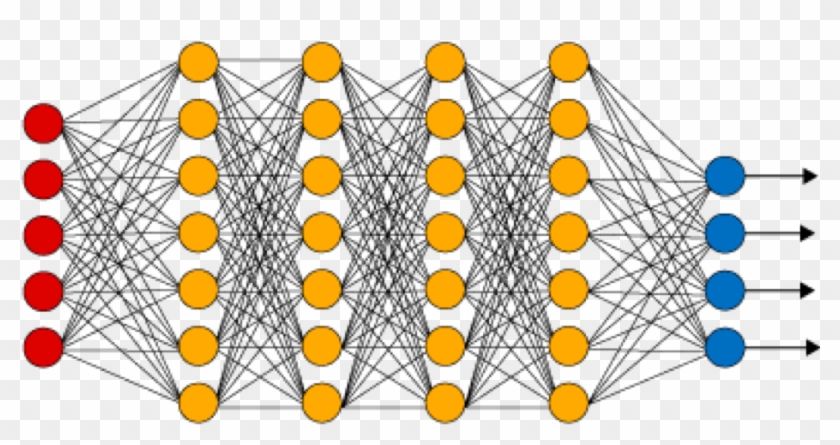
    Neural networks are rowed collections of these neurons. A series of pattern activators spread over a series of layers. To build one is to “train” the neurons and “tune” the math between the layers. This is done by feeding it lots of data on the patterns you wish it to learn.


    It is effectively a way for math to have memory.

    Neural Networks are the core architecture for classification models.

    Neural networks are widely used for object classification, image segmentation and all sorts of useful pattern recognition.


    Demo: Build a Power Ranger Classifier

    In the demonstration below, I show how machine learning can learn to recognize my five year old’s Power Ranger. After running the trained model, I show the two data sets: One with the Power Ranger, and the other without.

    By learning the patterns of each of these datasets, we can recognize a Power Ranger.

    Try Lobe yourself at Lobe.ai


    Generative Models

    Learning Goal: Understand how to prompt and tune generative image making models.

    Have you used ChatGPT? How about Midjourney?

    These are generative models. These models take input and generate an image or text. Eventually, this method will be used to create … well, potentially anything digital. This input is called “Prompting.” Prompting is a form of user intent, a sentence that represents what we hope the AI model will generate for us.

    In this case, my prompt was for a painting of George Washington drinking a beer. I use references to artists to get it closer to my desired output. (I’ll leave the intellectual property discussion for another day.)

    Prompting Presidential Beers

    It’s not bad, huh? And it’s gettin’ pretty good. But, prompting has it’s limits.

    I can’t make an image of me as Iron Man by just prompting alone. It doesn’t know what I look like. Which is why I need to tune a dataset on the images of me. This means creating a dataset of me, say 25 pictures or so, and then feeding it to the network so it learns to identify that pattern. (Me!) This can be a little challenging, but the tooling is getting better.

    Tuning a data set with images.

    Once I’ve trained the model, however, I’m able to use it with any other prompt quite easily. And since clearly there is a real need to turn myself into a Pixar character, I can easily do that.

    Learning to tune generative models is a fundamental skill for the generative artist.


    A quick note on Latent Space …

    Latent Space is a concept that helps me understand data sets as a giant universe of data. Each of these colored dots might represent a vector, or a specific category, of the dataset. Say “anime” or “science fiction,” or specific to the camera like “cinematic.”

    A universe of possibilities in the data set.

    The intersection of these vectors is what generates a unique seed of a pattern. This pattern is an absolutely new and unique generative image.


    Demo: Image Making with Stable Diffusion.

    As an animator, of course I am interested in robots. Giant robots. When I began using image generation models, I began prompting mechs and science fiction.

    Early Giant Robot Experiments (Disco and Stable Diffusion)

    When I began, I used the image creation model, Disco Diffusion in Google collab notebooks. A year later, I am now creating more compelling imagery with the more robust and accessible, Stable Diffusion. By using the platform Leonardo.ai I can iterate far quicker than I ever did in the Google collabs.

    This is evidence that coherence and fidelity of images will only accelerate with better models, tooling and workflow.

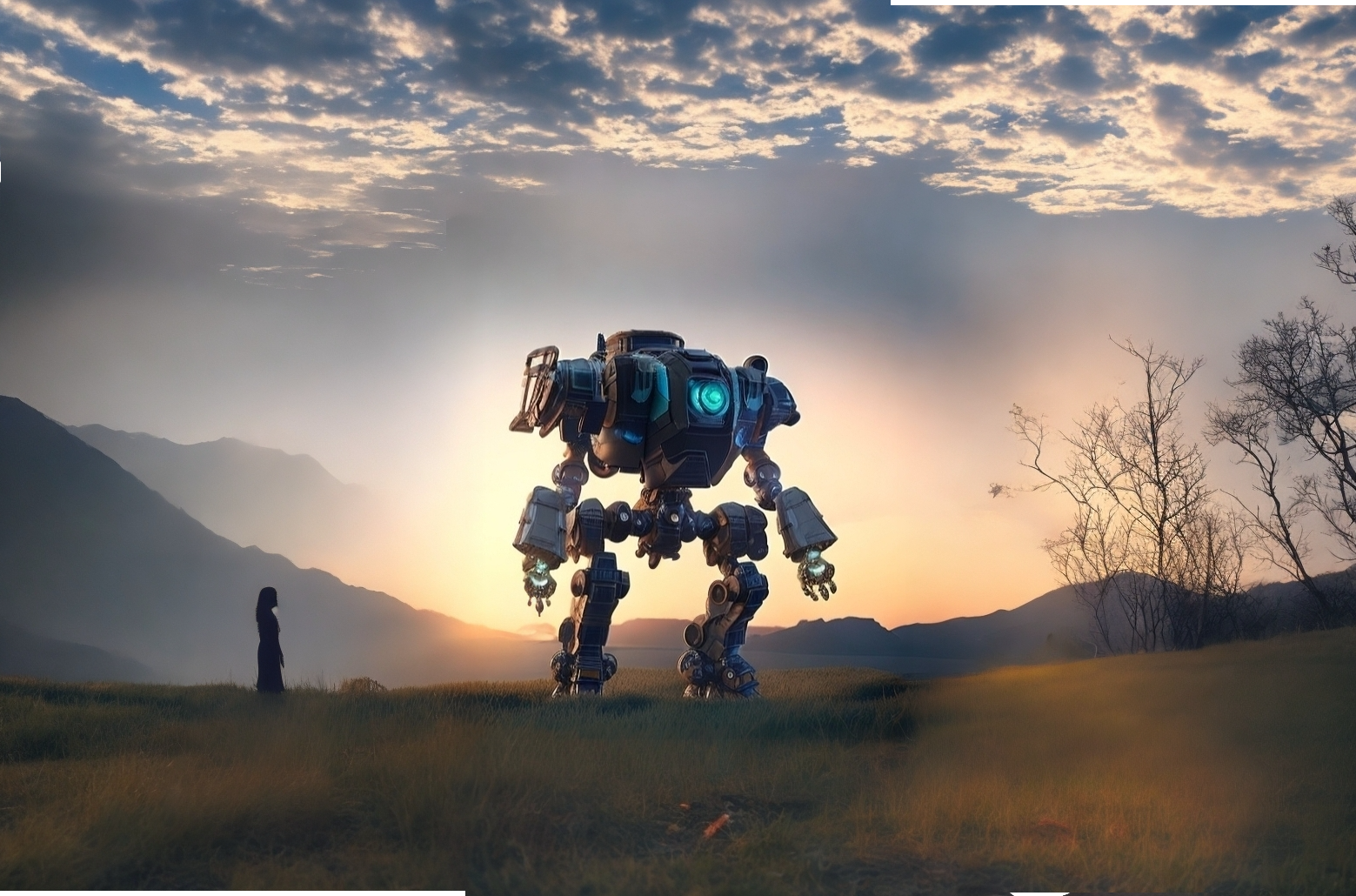
    The most recent Mech Experiment from Summer 2023. (Stable Diffusion)

    I recommend prompting images yourself with the Stable Diffusion platform Leonardo.ai.


    Large Language Models

    Chat GPT, and similar models like Google Bard and called large language models. They are composed of a giant transformer. Not like Optimus Prime, but like a huge predictive network that chooses the next word in the sentence. You know how your email suggests a response? ChatGPT is the mega-mega version of that.

    However, in addition to the transformer, it also learns to understand you. Natural language processing is a species of AI that learns how to understand the intent, or underlying meaning, of the sentence. The bigger and better the model, the better it “understands” you.

    Large Language Models like ChatGPT are both NLP and a one way transformer.

    Large Language Models have the potential to be THE MOST disruptive technology of the bunch. Because they are text, they can increasingly understand and generate code, essays, books, scripts, emails, and spreadsheets. When they become what’s called “multi-modal” they will probably also generate films, games, animation curves and 3d assets.


    If you haven’t already started using ChatGPT, I highly recommend you start. Learning to prompt LLM’s in your discipline and workflow will be critical.


    Foundational Models

    Sam Altman (Wikipedia)

    In a recent interview, Sam Altman, the CEO of Open AI, foretold a vision of how companies with multimillion-dollar processing power will sit at the base of a new artificial intelligence software ecosystem. A gold rush of smaller companies, will use the APIs and “tune” these massive models to provide customizations for specialized markets.

    These giant models are called “foundational models.”

    We need to think of this disruption as a new operating system. The base of will be where custom datasets are tuned into it. Like I trained myself into the Iron Man picture, we all will train our custom data into a foundational model. Our decision, then, will be which one to use.

    These large text models are currently owned by big companies like Open AI, Amazon, and Elon Musk’s new X.ai. The graphics models which contain imagery and animation data are also growing to robustness within the servers of Adobe and NVidia.

    Foundational Models will sit at the base of the AI Software Ecosystem

    NOTE: Since giving this presentation, Stability.ai has gained massive traction on Git Hub, localizing Open Source alternatives. Should this decentralization continue, we may see a trend towards localized models instead of foundational models. It’s too early to tell, but indicative of a field that is moving at light speed.


    So let’s review…

    Neural networks are used for pattern recognition and prediction. Generative models query latent space to generate useable text, images, (and soon) may other things. LMMs are the real disruption of intelligence software.

    Foundational models are the architectural base, that everything will be built from.

    It will be up to us to tune our data sets, to fit our specific needs.


    Wonder Dynamics Demo

    The following is a demonstration of the cloud-based software, Wonder Dynamics. This is a promising workflow for the feature film or visual effects artist. You’ll hear that my five year old is just as impressed with the robots as I am.

    Try Wonder Dynamics yourself by signing up for early access.


    Education

    Education will need to adapt to be relevant in an AI world. Here are three suggestions.

    Listing the Prompt, Model and Sizing is good documentation.

    Documentation


    First, we must double down on documentation. I encourage students to use artificial intelligence, but they MUST document their process.

    If they start passing off AI for their own work, that’s cheating. However, well documented work flow is just good practice. Learning documentation is important for them to internalize concepts like attribution, licensing and intellectual property.

    Individuals should learn to build datasets that are specific to their skill set.

    Data Sets

    We must learn to create our own protected datasets. We must also learn to be aware of terms of use. Using stolen data can lead to lawsuits and a variety of really bad outcomes.

    My livelihood will be my animation curves. Your livelihood, be it concept artist, or writer, will be the information that you create to train your specific models for production.

    Your AI data will need to reflect your work and style. And that data (and your individuality) will need to be protected.

    We won’t build software the same way.

    Mind Set

    We need to change our focus from localized applications and start thinking about the interoperable networked one. Software won’t be architected locally, but increasingly will be a series of trained datasets, most likely in the cloud.

    When I speak with people about the future of artificial intelligence, and the concerns about automation, I’m often asked:

    “What’s left for us to do?”

    The only thing I’ve can come up with is creativity, ideas and community.

    My hope is that if we stay true to these principles, we will maintain a human value in a world where our labor is automated.

    If interested in more of my experimentations with machine learning and AI, please see this post here.

    (Fin)

    Thanks for Reading. See you Next Time. (Stable Diffusion)

    For the just getting started

    Some great learning resources that really helped me out when I was first learning about AI.


    This presentation and supporting materials are licensed under creative commons as an Attribution-NonCommercial-ShareAlike 4.0 International. (For more information: CC BY-NC-SA 4.0)


  • To Teach or Not to Teach Artificial Intelligence

    To Teach or Not to Teach Artificial Intelligence

    While watching academic (and non-technical) environments, I’m beginning to see that the pervasive instinct is to ban AI in writing and artwork curriculum. The argument is that students will use it to facilitate cheating, or it’s use will “cheapen” the learning of the artform.

    But increasingly, I worry that this approach will not prepare the next generation for the true world they are about to enter. Can we open the debate in a way that best helps the students, and limits the potential for academic dishonesty?


    Watching AI Enter the Animation Pipeline

    I spent 20 years as a professional animator. My passion is both story but also the technical implementation of it’s use in real time technology. That is, I really love making characters move in video game worlds.

    The satisfaction comes from the knowledge of complex systems, storytelling, and the final result of days and days of labor coming to fruition. I bring something that was seemly dead, to life. I do it, with an extraordinary amount of labor, skill, research, iteration… and often, the emotional pain of fighting my self doubt.

    Above you can see a screen capture of my desktop. I am currently animating (experimenting) with the Unreal Engine’s “Manny”, in Autodesk Maya. That means I move and set the position of the arms by keying. Me, a human.

    Since I derive so much personal value from the process, it was especially difficult for me to deal with the idea of automation, when I first discovered machine learning on a motion capture stage several years ago.

    Machine learning is the term for a class of mathematical models within the field of Artificial Intelligence. They are having a sort-of “golden age” of development. Training a machine learning model to move a face of a character, or to automate the rigging of a digital skeleton can drastically reduce the labor involved (in some cases by a factor of 100).

    As these models have matured, more and more of the pipeline is becoming automated. Below you can see one of the more impressive workflows called Learned Motion Matching. This alone, will drastically reduce the up-front creation time of video game character controllers.

    Source: https://montreal.ubisoft.com/en/introducing-learned-motion-matching/

    I remember a sleepless night where my stomach physically hurt as I came to the realization that AI had the potential to remove the need for animators themselves. (I wrote about it back then) I soon decided this was a problem that I needed to frame as Scottish philosopher David Hume articulates the “Is” vs. “Ought” problem.

    I was resisting the understanding of artificial intelligence because I was clinging to what I thought ought to be. Artists ought to be the drivers of the labor. Creativity ought to be part of the emotional struggles of the individual. Not a data set. Right?
    Only when I began to confront what AI is, was I able to begin to research and understand it.

    This is where we are at.

    So then, what AI is…

    AI is reaching a level of (highly) functional use for artist workflows in animation, music, editing, visual effects, illustration and many others. It’s being deployed in our software for everyday use. AI image making models are reaching critical mass now, because of the prolific sharing ability of the internet.

    Because of the nature of our digital world — we have larger and larger datasets, and the training of models are becoming more accurate and robust.


    Predictive systems will finish our work for us in the art we create, and it will understand not just how to animate, but our “intents” as the animator using it. We are at the cusp of creating a productivity boom unlike human kind has ever seen.

    Some examples from this past summers experimentation with stable diffusion.

    The challenge in the near future, is not with the mathematical models, or even the datasets that are being collected. These are nearing an astounding level of image fidelity. The challenge is the interface design and the UX — the accessibility to the non-coding masses.

    Many, *many* software companies are rushing to create this accessibility through new interfaces, plug ins, and automated things we don’t even notice. “Old Guard,” like Adobe, are seeming to keep pace by buying up new talent. But there is a sizable crop of generative start ups who are targeting other graphics markets. The focus, driven by capitalist desire, is mass adoption. This leads to facilitation of use, and exponential data collection.

    NVIDIA is now training AI agents “for decades” in real time simulated environments.

    But capitalism isn’t the only driver. Stable Diffusion, a popular clip-diffusion image maker, released themselves open source. Within days, new innovations were in google collabs around the world. I suggest searching the #stablediffusion tag on twitter and marveling at an endless stream of un-bundled experimentation. The acceleration of AI is not just driving the market economy, it is inventing the distributed licensed one as well.

    Can it be Avoided?

    Students can actively choose a variety of new applications to automate the writing of their essays (or even the accompanying illustrations!)

    Increasingly, that choice will be removed from them.

    The way that email checks your spelling and updates as you’d write, our software will make intuitive predictions about what we’re creating. It will make predictions and create elements for us, all in real time. I expect it just to be the default in photoshop, visual studio, word, and many others. The AI will just be there.

    AI is here. It can make renaissance paintings of power rangers.

    It can not be avoided or banned.

    Renaissance Artist Painting Power Ranger – Stable Diffusion.

    My Suggestions

    Here are my three suggestions of how you, as a teacher, can integrate it into your classroom. But most of all, you should reinforce your human connection to your students.

    I. Communicate


    Talk about it openly and honestly with your students. If you’re scared, tell them that you’re scared. If you are concerned about cheating or the way it’s being used — be honest about it. Be vulnerable about it.


    Opening honest debate allows for the many, many shades of “grey area” that might happen should a student turn in work. Banning it is fine, but you need to be deliberate about it’s name and function.

    You can’t say “no AI.”

    You will need to be specific: “No Clip-diffusion enhancement for this exercise today.”

    The debate needs to be open should issues arises regardless whether the student is intentionally cheating or the software has ambitiously finished it for them.

    One of my many many failed generative experiments, Science Fiction Alien Mech, Combat Technology, Disco Diffusion

    II. Understanding


    We need to have a common understanding about the the types of models. Artificial Intelligence is divided into classifications like neural networks, GANs, Language Models, Clip-Diffusion, etc. Students should understand the difference between what it means to train a neural network and how an agent is trained in reinforcement learning.

    Different applications of machine learning and artificial intelligence will propagate into different verticals. Depending on what your subject matter, certain models and architectures will fit better than others. As an animator, my primary focus is motion models. Those might not be as interesting to a writer who is being rewritten with language models.

    Students should have a sense about what AI is actually doing, not as some “magic thing” operating in the background. For each model, there are always a specific set of inputs and a resultant set of outputs. Even without a computer science or mathematics background, the classification of models is learnable at a simple level.

    For help with this, I recommend Melanie Mitchell’s book : “Artificial intelligence: A guide to thinking humans” This high school level book clearly explains the categories of AI, and offers non-technical and direct explanations of the operations of them. (link to amazon is below)

    Audrey Hepburn, Black and White, Art Wall Painting, Stable Diffusion. I spent a late night session generating black and white images of hollywood.

    III. Compassion


    The last thing is to approach your students with compassion. You must understand that these students are already interacting with extremely powerful algorithms. Their content stream from Tik Tok is being algorithmically constructed and tuned to their emotional impulses. They may think they are simply texting with friends, but they are already being gamed into large datasets.

    These processes have been reinforced by their social networks amongst their friends. Understanding their position and their actions, may increasingly become more difficult.

    To us, we will marvel as things start to be completed for us. For them, it will be normal. I think the youth should learn to count before getting a calculator, and I think the youth would appreciate concepts like voice models or latent space before they’re everywhere.


    Clearly, I have a big concern about our adoption of artificial intelligence. I’ve accepted the technology will be here, just as electricity or the internet simply arrived. I hope we as teachers can openly learn to accept it’s presence in our curriculum. We should learn to use it, but speak openly about it’s ethics.

    I hope you will take a moment to do your own research on this before coming to conclusions.

    Regardless of whether this line of thinking is fantastical or 100% correct, I understand this to be a contentious issue. I welcome open debate, as we should all participate to figure this out together.

    Thanks for Reading.

    Reference:

    Here is the link to Melanie Mitchell’s Artificial Intelligence: A Guide for Thinking Humans

    I might also recommend:

    Two Minute Papers: https://www.youtube.com/c/K%C3%A1rolyZsolnai

    Superintelligence, by Nick Bostrom: https://www.powells.com/book/superintelligence-paths-dangers-strategies-9780199678112

    Machine Learning for Art: https://ml4a.net/


  • Seven Strategic Tactics for Teaching Online

    Seven Strategic Tactics for Teaching Online

    Simply replicating what you do in the classroom doesn’t work.


    In the fall of 2020, I began teaching college level computer graphics. Since my timing is impeccable, I started teaching in the middle of a pandemic, which meant I had to learn how to teach, on zoom. The school I teach at runs in quarters, which has classes twice a week, which tends to be a pretty intensive 10 weeks.
    Full disclosure, my first quarter was a disaster. Anyone who has met a nineteen year old understands that they will flay you alive, especially if they are burned out, grumpy, distractible — Wait… I mentioned this was during the pandemic, right?

    The point is, I rapidly learned that if I were to survive – I needed a strategy.

    Learning to collect data while teaching


    When I begin to design systems, I devise methods to record findings. In this case, I tried to estimate the length of time certain activity would yield the highest levels of focus and interest. Then I reflected on it in my writing and preparation process. Essentially, I began prototyping the amount of time that an engaged student can absorb before boredom and distraction makes their focus plummet.

    Academics love these kinds of charts

    As I got better at teaching, I began to organize my methods. I could feel my way through whether I was hitting or missing. Self reflection on how many laughed at my jokes, or whether they responded to regular cues was ongoing. I could absolutely tell if they had YouTube on, or were just clocking time without actually paying attention. I would try calling them out if they looked distracted or try to do more conceptually weird things.

    Really – I tried it all.

    I began to take rigorous notes after class and wound up making some speculative findings.


    • Lectures only work for 20 minutes. Long lectures lead to gaps of focus, and increased checking of tik-tok feeds.
    • Demoing software live will instantly lose half the class. The cognitive capacity to focus on learning an unknown graphical user interface is extremely high. They are either confused, or they already know it, which leads to boredom.
    • Group work will recharge a class and create social connections. However, group work in breakout rooms of more than 20 minutes will devolve into socializing.


    Over the next two quarters I began prototyping a system based on my finding to which I began to see some improvements – granted, some classes still continued to be difficult – but I certainly faired far better than when I had been thrown to the wolves in the first quarter. All of these are work in progress ideas, that I continue to experiment with.

    Here are some take-aways.


    Seven Strategic Tactics to Teaching on Zoom


    1. Cameras on

    I unequivocally tell my students that they must keep their cameras on. Despite the grumbling the first day, it actually keeps them far more engaged. The work and interest is better. It’s important to connect, so I don’t even question it. If the camera is off, I ask them to turn it on. If they continue to do it, I continue to ask them to put it on.

    If they don’t like it. Tough. If I have my camera on, you must as well.

    2. Anything Interesting?

    When you ask a question, any question, there is a natural delay — and worse, dead air anticipation of anyone responding. It’s hard to cut through this initial anxiety of participation. The added step of dealing with the “your muted” phenomenon is also a deterant. – So – I open every class with:

    “Anyone got anything interesting?”

    – Prof Nye

    After asking this question, I wait. I let that dead air take hold right up front.

    I push and get them to start talking about anything. If we are lucky, we might hit on a new game release, or a trend or movie they are all eagerly awaiting. As someone in a different generation, it’s good to hear about their current interests. Dungeons and Dragons is back apparently, and everyone still hates Electronic Arts. These are important things for me to know to be credible.

    Asking them to participate at the beginning of class makes the rest of the class easier, because that ice has already been broken. Once we have established the participatory nature of the class, as a teacher, I’m less worried about throwing a question to someone during lecture. I also use the “anything interesting” time to try to fire up the typically quiet-ones.


    3. Don’t do Software Live – Record for the Rewatch


    I started recording my software demos outside of class.

    Following along became the homework assignment, not something that fills class time. What I found was that those who didn’t understand could rewatch, and those who already knew it could skip ahead or speed through it. This is enormously successful in the results I got back. Video gives the learning support outside of class, and then maximizes the face to face time inside of it.

    And honestly, doing software demos in class and live is hard. You might have forgotten a check box, or a process, and as you fumble to correct yourself, you can feel the shift of the group to non believers. If I hit a snag while I am recording, I’ve gotten good at pausing, jumping into documentation, trying it out, and then resuming. It might have been 5 minutes of double checking and fumbling through software for me live, but in the recording, the edit to the valuable information is instant.

    This does bring up the problem that if all the demos are being done outside of class, what content is being developed in class. The response to this is “a lot of things.” Ultimately, it makes class time more about connecting with you as a teacher, and less about watching you fumble on a computer.

    One draw back is that many who aren’t comfortable with the software will simply copy. This makes it especially important to stress problem solving, creativity and improvisation in class. The more they can build confident in class, the more they build upon the video work, instead of simply copying it.


    4. 20 Minute Group Jams to Energize Collaborations

    The focus of all my teaching can be summarized as “problem solving.”

    And the best way to get people to learn to problem solve is 1. to write documentation, and 2. go to groups to share what they learned. If I can identify a common problem amongst several people, I try to encourage the opportunity to group-up, to see if they collectively can figure it out.

    The tendency for many is to use the problem as an excuse to disengage.

    “I couldn’t figure it out.” is what I hear, and my response is “who else has this problem?” Generally, others do, and putting them into a group is a natural way for them to form collaborative problem solving.

    Sometimes you get especially focused students who lean into the process. When you get them together, you can see potential partnerships forming.

    5. Discord

    Most educational software platforms are bad. Empirically, from a software UX and design standpoint, the makers of software (like Blackboard), genuinely wish to insult the students and teachers of the world, by giving us interface designs from twenty years ago.

    Fortunately, the educational tech space is rapidly advancing to fit this need, but until new solutions are instituted, I gravitate to software communications that value the persistent nature of chat. If someone has to log in to do something, I’ve lost them. If someone can participate in multiple content streams, it becomes fun.

    Discord is a chat application that, like it’s business sister program slack, maintains multiple communication streams. I can run my class in a chat, post and pin videos and handout to that chat, and run multiple chats for groups. By siloeing information correctly into persistent chat, I find I can work directly with my class and regularly interact with them over the week, as opposed to having to log in and target. Granted that means that you need to have the application open always, and be ready at any time of the day to respond.

    Additionally, by installing StatBot, a bot application that lives within your discord, I can track the number of posts, and the engagement on posts. If I know the groups, the subjects they are talking about, and the number of times each group chats, I can catalyze the conversation by helping out on a questions, make a joke with a gif, or provide a relevant youtube clip. I got into the habit of wishing them a happy friday, or sending reminders of upcoming deliverables.

    Tracking the discord activity of the class

    Discord, in my opinion, makes it fun, not a chore. Granted, some who are not gamers or as digitally native do not understand how to engage with the method. It can be difficult for the more email native types to shift to the persistent way of thinking. If someone is going to learn to work with game engines however, they will need to learn to think like this. It’s now industry standard.


    6. No mercy for the disruptors


    This one is hard. Disrupters rip your class apart. They seed conversations in channels that undermine the teaching as it goes on. I don’t know why it exists, if I deserve it or not, but I suspect it is commonplace in all teaching on zoom. 
    The answer for me was to single them out, and call them out immediately. Do not let it take hold, because you can lose the whole class. I am actually ok with them complaining about me outside of class. Everyone needs a watercooler, but in class, focus needs to be on the subject matter.

    I lost a class completely due to a selfish and destructive student. Make no mistake, there are bad kids who need to be dealt with. Let them undermine you, and you won’t just lose a class, but the entire course.

    7. Draw your ideas

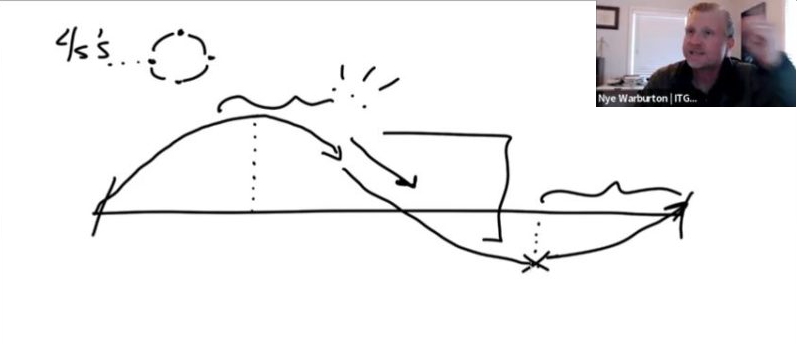
    I’ve always used whiteboards to talk through ideas. My home office has two, and I have 30 years worth of sketchbooks. Drawing is how I learn, so it makes sense that I use it in the classroom. I do the same thing while on zoom.

    I can explain something in five minutes, or I can slow down and explain it by drawing the idea out in photoshop, or this nifty piece of software I just found called “Concepts.”

    Granted, sometimes drawings don’t work. A good drawing is like a good lecture, it needs to be imagined, refined and visualized. If you make a drawing part of your lecture approach, try to draw everything you are going to do in class ahead of time in your sketchbook. Practice it, prototype it, refine it.

    The results are better drawings for visualizing concepts. Improvisation can work, but it should only augment the structures you practice beforehand.


    As an educator, I welcome feedback and collaboration from others who are experimenting with teaching online. Despite the lowering levels of the virus, I do not believe we will be backing away from online teaching any time soon. In fact, I believe it will only accelerate. We should be facing these challenges head on, not simply running back into the classroom.

    Thanks for reading! I welcome interactions on twitter @nyewarburton, my DM’s are always open.